Grid Virtual Mode
 BCGControlBar Pro (MFC)
BCGSuite (MFC)
BCGControlBar for .NET
You can create a high-performance Grid control with unlimited number of items. The Grid control has the following methods for the virtual mode handling:
- EnableVirtualMode: enable virtual mode and set a callback function
- SetVirtualRows: define the number of grid rows in the virtual mode
Please take a look at the BCGPGridExample application ("Virtual List" tab and "Home | Grid | Virtual Mode Test" dialog) to see how to add to the grid millions of items.
In addition, the virtual mode has been implemented in the database grids. Run the BCGPDBGridDemo example to see this feature in action.
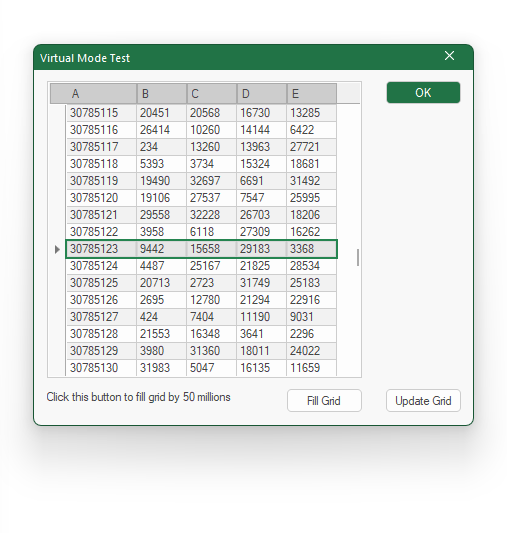
Sample code:
// Grid callback function:

static BOOL CALLBACK GridCallback (BCGPGRID_DISPINFO* pdi, LPARAM)
{
	ASSERT (pdi != NULL);

    int nRow = pdi->item.nRow;
	int nCol = pdi->item.nCol;

	pdi->item.varValue = value;
	return TRUE;
}

CBCGPGridCtrl m_wndGrid;

// Create grid control:
m_wndGrid.Create (WS_CHILD | WS_VISIBLE, rect, this, ID_GRID);

// Enable virtual mode:
m_wndGrid.EnableVirtualMode (GridCallback);
m_wndGrid.SetVirtualRows (100000000);
m_wndGrid.AdjustLayout ();