Docking Menu Bars with Icons
 BCGControlBar Pro (MFC)
 BCGSuite (MFC)
BCGControlBar for .NET
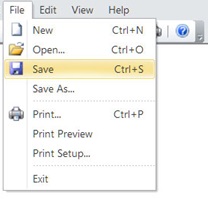
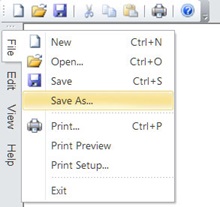
The library provides a sophisticated set of docking Microsoft Office-style menu bars. A menu bar can be docked to any side of the application's workspace or floated anywhere on the screen.
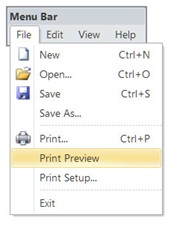
A popup menu automatically scrolls when the menu height is greater than the screen size. The floating menu bar has the same look as Microsoft Office and Microsoft Visual Studio applications.
Menu bar docked on top:
Floating menu bar:
Menu bar docked on left:
Sample code:
CBCGPMenuBar m_wndMenuBar;

int CMainFrame::OnCreate(LPCREATESTRUCT lpCreateStruct)
{
...
    // m_wndMenuBar will automatically replace the application menu:
    m_wndMenuBar.Create (this);
}